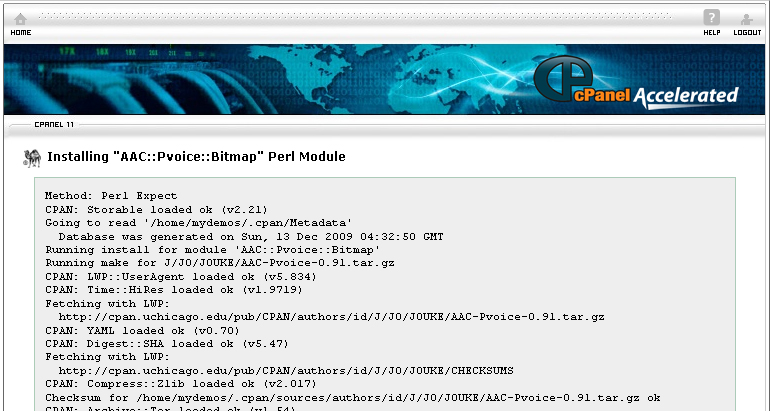

A Perl Module is a software which is developed using the Perl programming language. cPanel allows you to easily search for a Perl module and install it directly to your website.
To view all available Perl Modules, please follow the instructions below:
Procedure:
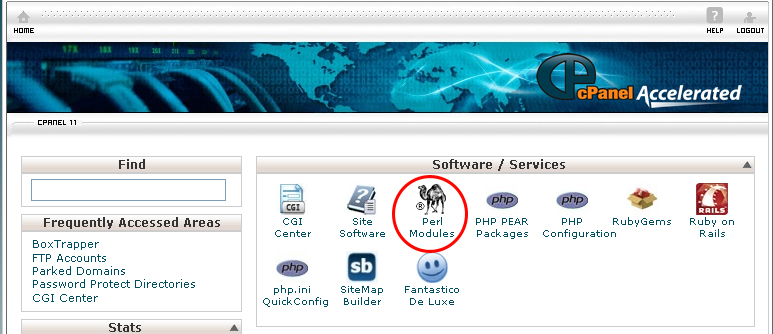
- On the homepage of your cPanel, click on Perl Modules under Software / Services.
- Click on the Show Available Perl Modules button.
- When you find the Perl Module, click on the Install button. It will take some time for the module to be fully installed.
To search for a module, do the following:
- On the homepage of your cPanel, click on Perl Modules under Software / Services.
- Type in the name of the module you want to install in the search box, and then click on the Go button.
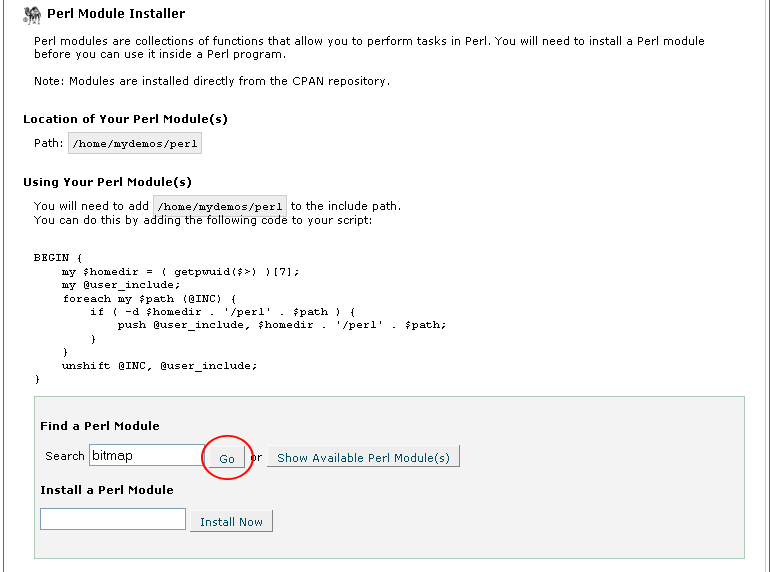
- When you see the Perl module you want to install, click on the Install button.
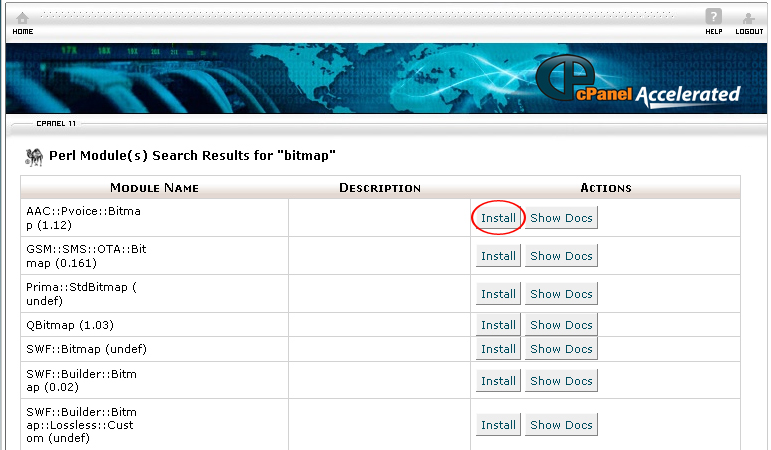
- Wait a few seconds/minutes and the Perl module should be installed.
The Installed Perl Module (s) table allows you to manage the Perl Modules you have installed.
- If you want to update a Perl module to a newer version, click on the Update button.
- If you want to reinstall a Perl module, click on the Reinstall button.
- If you want to uninstall a Perl module, click on the Uninstall button.
- If you want to view the documentation for the Perl module, click on the Show Docs button.
- There are a number of Perl modules that are preinstalled in cPanel. To view these modules, click on the Show System Installed Modules.
- If you follow the above instructions, you will be able to install Perl module through cPanel.